1. Navigate to https://outlook.office.com/mail/
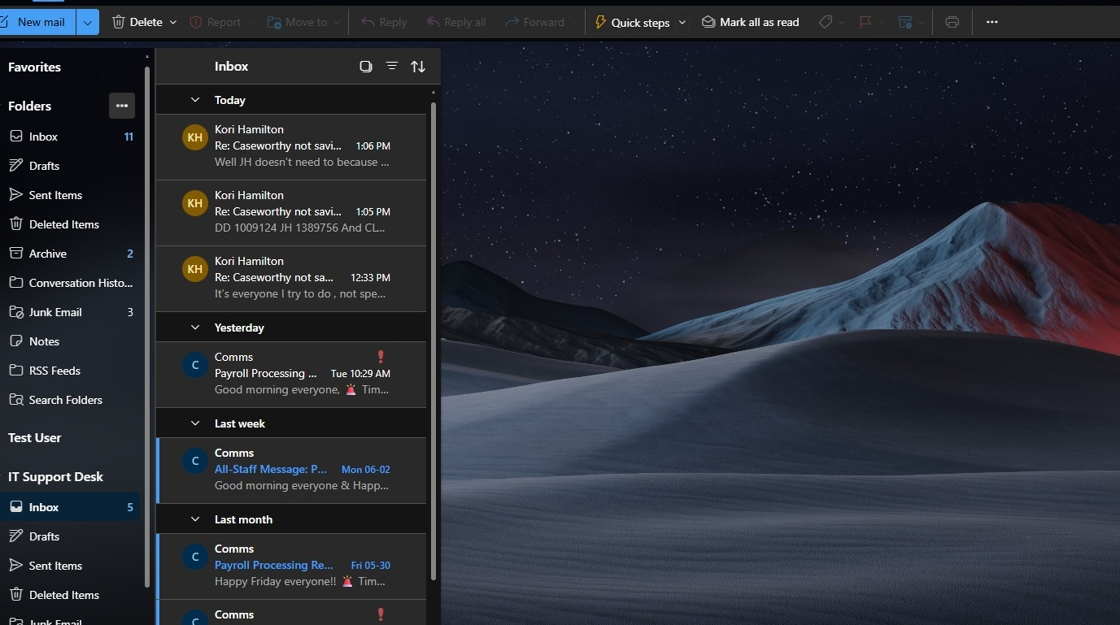
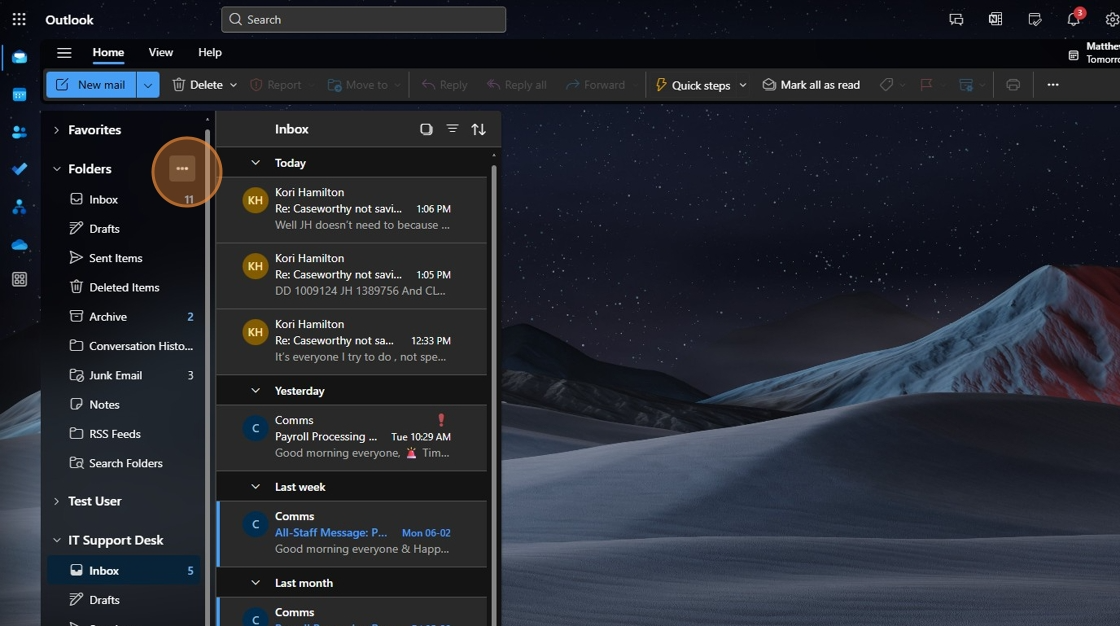
2. Click these three dots that appear when you mouse over the 'folders' menu.
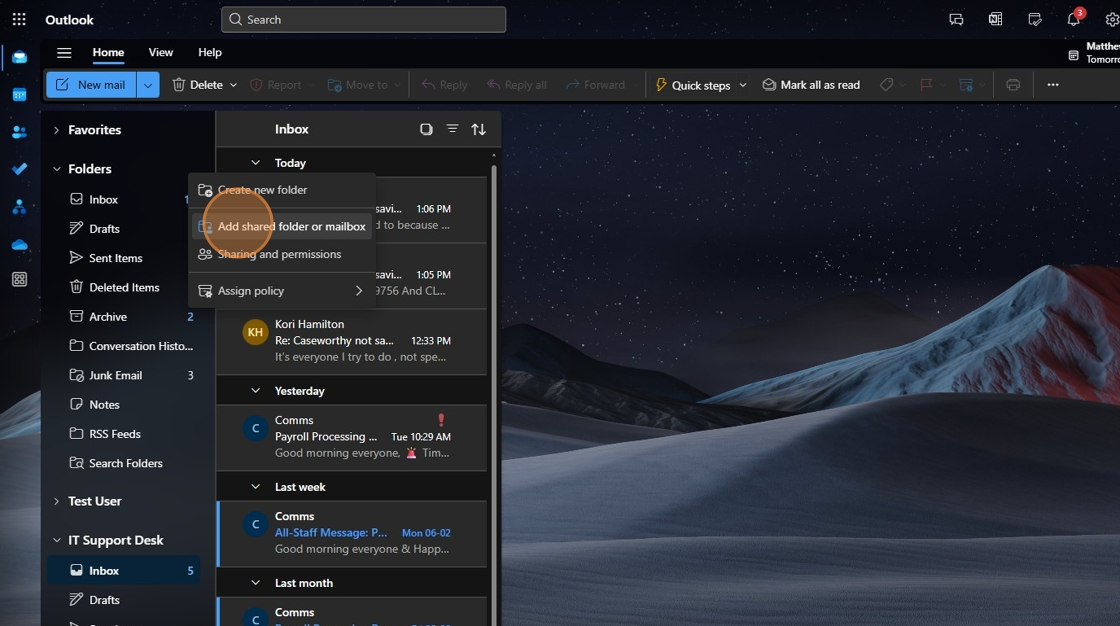
3. Click "Add shared folder or mailbox"
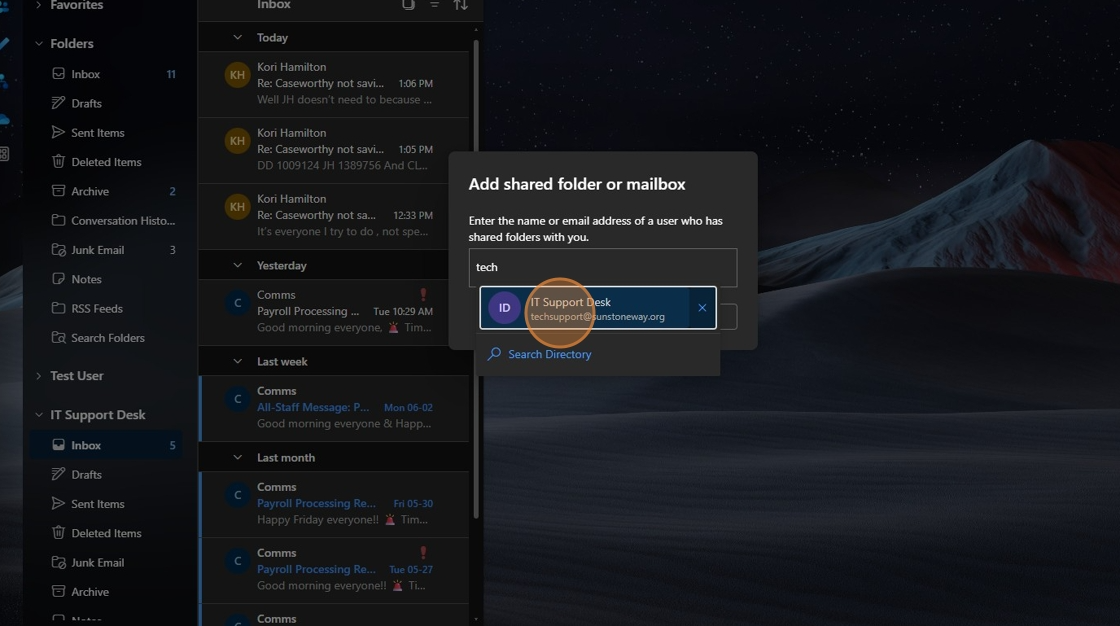
4. Click here and search for the mailbox you'd like to add.
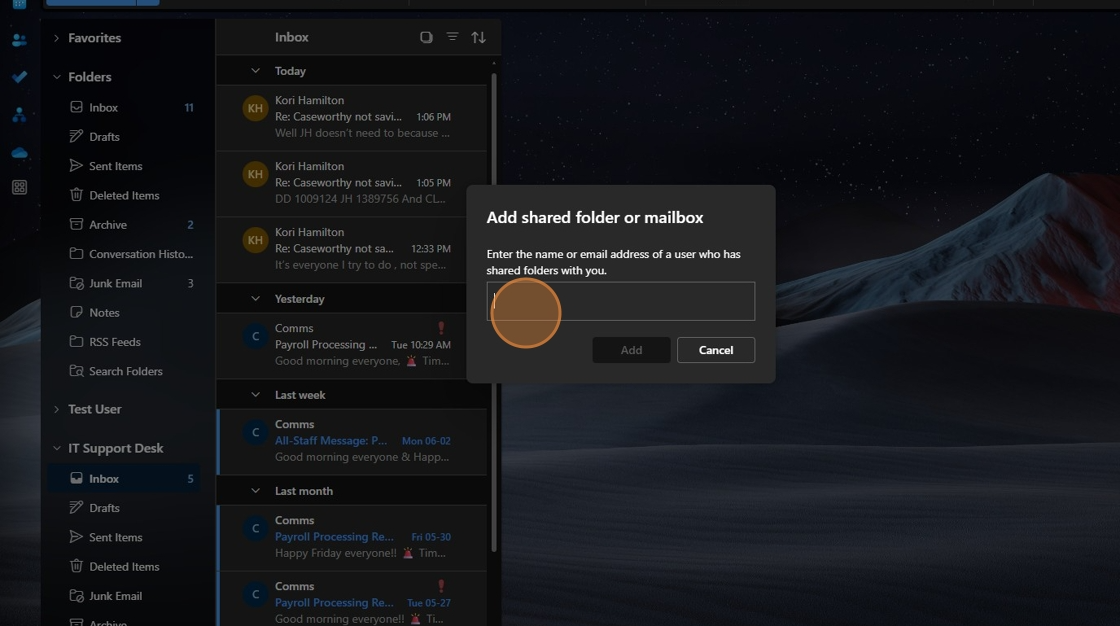
5. Click the email account when it appears in search.
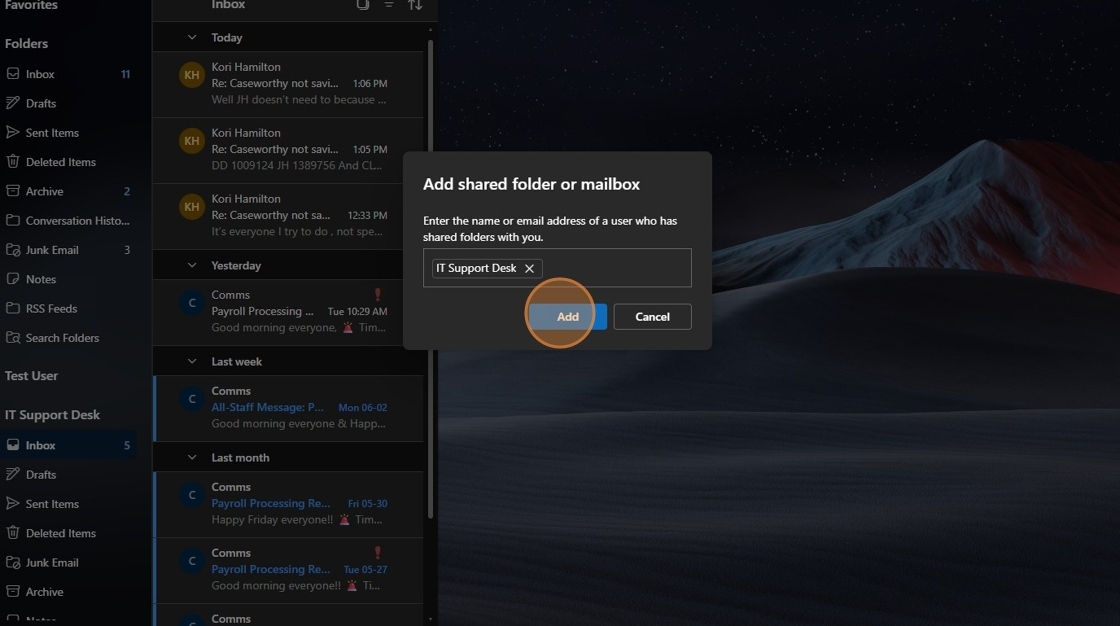
6. Click "Add" and you will see it appear on the left hand column of your Outlook client.
Was this article helpful?
That’s Great!
Thank you for your feedback
Sorry! We couldn't be helpful
Thank you for your feedback
Feedback sent
We appreciate your effort and will try to fix the article